4.1.8. Two-dimensional Poisson equation
All previous discussions so far were exemplified on a 1d domain. Pyoomph makes it very simple to use equations on arbitrary domains. Since we have formulated the PoissonEquation and the Neumann boundary conditions in poisson.py and poisson_robin_via_neumann.py with grad(), the definition is not restricted to any particular number of dimensions. To solve it on a 2d rectangular domain, we can hence directly reuse the equation classes and the boundary conditions defined above. To solve i.e. the system
We just have to assemble the system on a 2d geometry, which is predefined in pyoomph in the RectangularQuadMesh:
# Import all PoissonEquation, Neumann and Robin condition as before
from poisson_robin_via_neumann import *
from pyoomph.expressions import * # Import vector


class PoissonProblem2d(Problem):
    def define_problem(self):
        # Create a 2d mesh, 10x10 elements, spanning from (0,0) to (1,1)
        mesh=RectangularQuadMesh(size=[1,1],lower_left=[0,0],N=10)
        self.add_mesh(mesh)

        # Assemble the system, bulk, then boundaries
        x=var("coordinate")-vector([0.5,0.5]) # position vector shifted by 0.5,0.5
        peak_source=100*exp(-100*dot(x,x))
        equations=PoissonEquation(source=peak_source)
        equations += DirichletBC(u=0) @ "left"
        equations += DirichletBC(u=0) @ "right"
        equations += PoissonNeumannCondition("u",2) @ "bottom"
        equations += PoissonRobinCondition("u", 1,1,-1) @ "top"
        # Also add an output. This VTU output can be viewed with Paraview
        equations += MeshFileOutput()

        self.add_equations(equations@"domain")

if __name__=="__main__":
    with PoissonProblem2d() as problem:
        problem.solve()
        problem.output()
Obviously, the definition of the system in pyoomph is almost identical to the mathematical definition above. One only needs to know the default names of the RectangularQuadMesh class, which are "domain" for the inner domain and "left", "right", "bottom" and "top" for the boundaries. The source function now depends on the coordinate vector \(\vec{x}\). This one can be accessed via var("coordinate"). Since it is a vector, one has to use e.g. dot() to calculate the square and subtract also the vectorial offset \((0.5,0.5)\) via vector([0.5,0.5]). Elements of vectors can be accessed by e.g. var("coordinate")[0] and var("coordinate")[1].
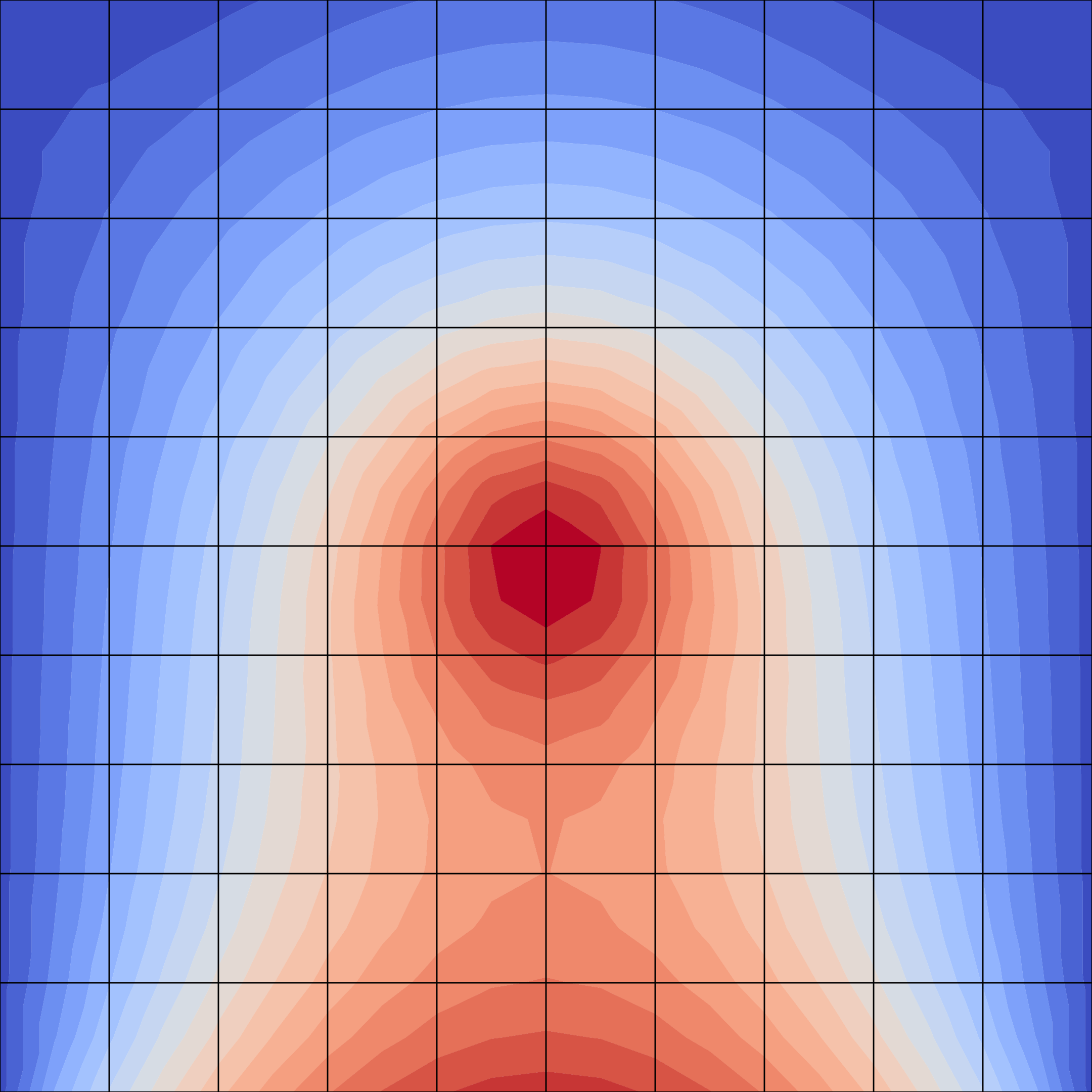
Fig. 4.6 Two-dimensional Poisson equation